IPv4 Subnetting
Introduction
As computer networks grow, managing IP addresses efficiently becomes increasingly important. IPv4 subnetting is a fundamental networking technique that helps network administrators divide large networks into smaller, more manageable segments called subnets.
Whether you’re preparing for networking certifications, managing enterprise networks, or simply learning how the Internet works, understanding subnetting is an essential skill.
This guide explains IPv4 subnetting, the formulas involved, and practical examples to help you master the concept.
Why Do We Need Subnetting?
Without subnetting, all devices would exist within a single large network, leading to:
- Increased broadcast traffic that can lead to network congestion and unnecessary use of bandwidth.
- Reduced performance may occur as a larger network experiences higher levels of traffic and communication overhead.
- Poor network management makes it more difficult for administrators to monitor, troubleshoot, and maintain the network effectively.
- Security challenges arise because a larger network provides more opportunities for unauthorized access and the spread of security threats.
- Inefficient IP address allocation can result in wasted address space and difficulties in managing network resources.
Subnetting solves these issues by dividing a network into smaller logical networks.
Benefits include:
- Better network performance is achieved by reducing broadcast traffic and limiting network congestion.
- Improved security is provided by separating devices into different subnets, making it easier to control access and contain threats.
- Efficient IP utilization allows IP addresses to be allocated according to the specific needs of each subnet, reducing waste.
- Easier troubleshooting is possible because network issues can be isolated to a specific subnet, making diagnosis and resolution faster.
- Simplified network management helps administrators organize, monitor, and maintain the network more effectively.
Components Required to Calculate Subnetting
- An IP address uniquely identifies a device on a network and enables communication between devices.
- A subnet mask is used to distinguish the network portion of an IP address from the host portion.
- The prefix length indicates the number of bits allocated to the network portion of an IP address and is represented using CIDR notation (e.g., /24).
- The number of subnet bits borrowed from the host portion determines how many subnets can be created within a network.
- The number of subnets is calculated based on the number of borrowed bits using the formula 2n, where n is the number of subnet bits.
- The number of hosts per subnet is determined by the remaining host bits and is calculated using the formula , where the number of host bits.
Once the above information is gathered or calculated from the given IP address, we can easily calculate the following:
- New subnet mask
- Number of subnets
- Number of hosts per subnet
- Network address
- First usable host address
- Last usable host address
- Broadcast address
- Block Size of IP Address Range
Key Subnetting Formulas
- Number of Subnets = 2ⁿ, where n is the number of bits borrowed from the host portion.
- Number of Hosts per Subnet = 2h – 2, where h is the number of host bits remaining after borrowing. The first and the last IP addresses are not included in the valid host IP address range. The first one is the network address, and the last one is the broadcast address.
- Block Size = 256 – Last Octet of Subnet Mask
These three formulas solve most subnetting problems.
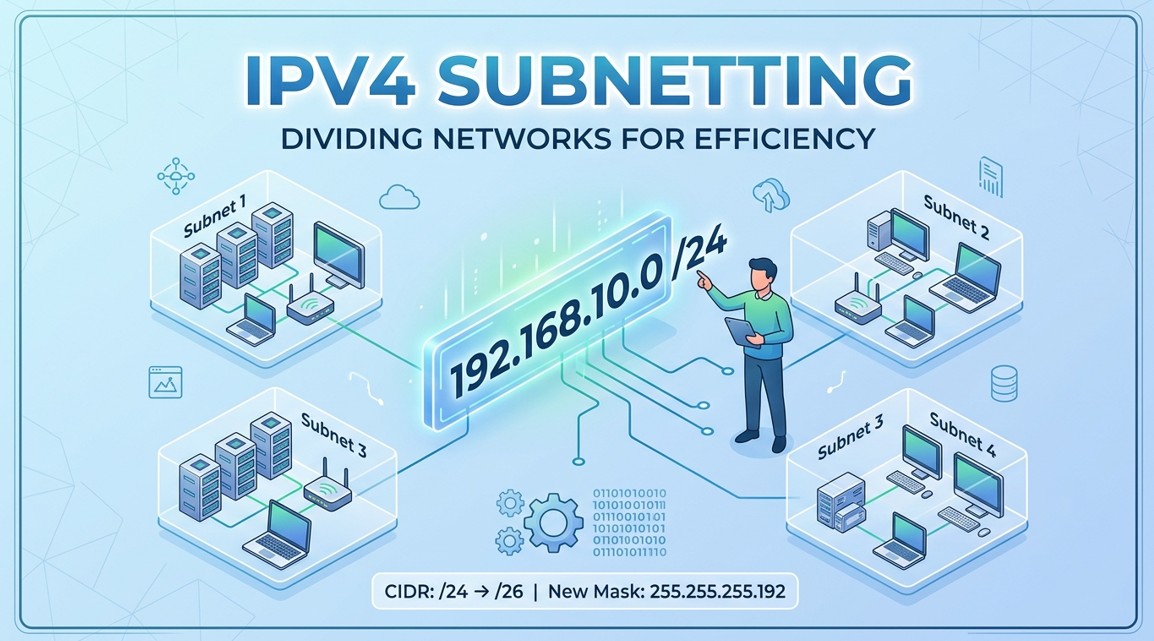
Subnetting is the process of dividing a larger IP network into smaller, more manageable sub-networks (subnets). Here’s a clear example to help you understand it step by step.
Example of Subnetting a Class C Network
Create 4 subnets from the following network.
Let’s start with this network:
- IP address: 192.168.1.0
- Default subnet mask: 255.255.255.0 (/24)
This means:
- Total IP addresses = 256 (from 192.168.1.0 to 192.168.1.255) using default subnet mask
To create 4 subnets:
- Use the formula: No of Subnets = ( 2n ) = ( 24 )
- So, 2 host bits to be borrowed by the network portion.
- The new network bits : 24 + 2 = 26
- The new subnet mask : 11111111.11111111.11111111.11000000 = 255.255.255.192
- Now, the remaining host bit : (32 – 26) = 6 host bits
- Hence, the no. of hosts per subnets = ( 26 ) = 64
Each subnet will have the IP range as shown below.
| Subnets | Network Address | Usable IP Range | Broadcast Address |
|---|---|---|---|
| 1 | 192.168.1.0 | 192.168.1.1 to 192.168.1.62 | 192.168.1.63 |
| 2 | 192.168.1.64 | 192.168.1.65 to 192.168.1.126 | 192.168.1.127 |
| 3 | 192.168.1.128 | 192.168.1.129 to 192.168.1.190 | 192.168.1.191 |
| 4 | 192.168.1.192 | 192.168.1.193 to 192.168.1.254 | 192.168.1.25 |
Variable Length Subnet Masking (VLSM)
VLSM (Variable Length Subnet Mask) is a subnetting technique that allows you to use different subnet masks for different subnets within the same network. This helps use IP addresses more efficiently.
Why VLSM is needed
With traditional subnetting (fixed-length subnet mask), all subnets must be the same size, even if some need only a few hosts and others need many.
VLSM Rules
- Start with the largest host requirement.
- Assign the appropriate subnet.
- Move to the next available address block.
- Continue until all requirements are met.
A common formula used when designing VLSM is:
2h – 2 >= Required Hosts
where h is the number of host bits and -2 indicates the network address and broadcast address
Example:
- Department A needs 100 hosts
- Department B needs 50 hosts
- Department C needs 10 hosts
Using the same subnet mask for all three wastes many IP addresses.
With VLSM:
- Department A gets a larger subnet.
- Department B gets a medium subnet.
- Department C gets a smaller subnet.
Example
Suppose you have the network:
192.168.1.0/24
Requirements: You need three different subnets:
- Department A with 100 hosts
- Department B with 50 hosts
- Department C with 25 hosts
Use the following formula to calculate number of host bits required to
2h−2 ≥ Required Hosts
The following table contains binary-to-decimal conversions and will be of great help while calculating the required host bits for each subnet.
| 28 | 27 | 26 | 25 | 24 | 27 | 22 | 21 |
| 256 | 128 | 64 | 32 | 16 | 8 | 4 | 2 |
Step 1: Allocate the largest subnet first
For a department A with 100 hosts
2h−2 ≥ 100
or 27−2 ≥ 100
Using 7 host bits, the maximum host address available will be given by 27 = 128 hosts
Hence, the available network bits will be 32 – 7 = 25
The new subnet for Department A:
- The network ID will be
192.168.1.0/25 - The new subnet mask will be 11111111.11111111.11111111.10000000 = 255.255.255.128
- Block size = 256 – 128 = 128
- Host range is from 192.168.1.0 to 192.168.0.127
- Network address = 192.168.1.0
- Broadcast address = 192.168.1.127
- Usable host range:
192.168.1.1 – 192.168.1.126
Step 2: Allocate the next largest subnet
For a department B with 50 hosts
2h−2 ≥ 50
or 26−2 ≥ 50
Using 6 host bits, the maximum host address available will be given by 26 = 64 hosts
Hence, the available network bits will be 32 – 6 = 26
The new subnet for Department B:
- The network ID will be
192.168.1.128/26 - The new subnet mask will be 11111111.11111111.11111111.11000000 = 255.255.255.192
- Block size = 256 – 192 = 64
- Host range is from 192.168.1.128 to 192.168.0.191
- Network address = 192.168.1.128
- Broadcast address = 192.168.1.191
- Usable host range:
192.168.1.128 – 192.168.1.190
Step 3: Allocate the smallest subnet
For a department C with 25 hosts,
2h−2 ≥ 50
or 26−2 ≥ 25
Using 5 host bits, the maximum host address available will be given by 25 = 32 hosts
Hence, the available network bits will be 32 – 5 = 27
The new subnet for Department B:
- The network ID will be
192.168.1.192/26 - The new subnet mask will be 11111111.11111111.11111111.11100000 = 255.255.255.224
- Block size = 256 – 224 = 32
- Host range is from 192.168.1.192 to 192.168.0.223
- Network address = 192.168.1.192
- Broadcast address = 192.168.1.223
- Usable host range:
192.168.1.193 – 192.168.1.222
| Dept A | Dept B | Dept C | |
| No of Hosts | 100 | 50 | 25 |
| Host Bit Required | 7 | 6 | 5 |
| Maximum host Range | 128 | 64 | 32 |
| IP Address Range | 192.168.1.0 to 192.168.1.127 | 192.168.1.128 to 192.168.1.191 | 192.168.1.192 to 192.168.1.223 |
| Valid Host Range | 192.168.1.1 to 192.168.1.126 | 192.168.1.129 to 192.168.1.190 | 192.168.1.193 to 192.168.1.222 |
| Subnet mask | 255.255.255.128 | 255.255.255.192 | 255.255.255.224 |
Subnetting a Class B Address
A Class B IP address uses the default subnet mask:
- Default Mask:
255.255.0.0 - CIDR Notation:
/16
Suppose we have:
- Network Address:
172.16.0.0/16
Now we want to create 4 subnets out of the given Class B address.
To create 4 subnets:
- 2 bits be borrowed from the host portion.
- Number of subnets = 2n = 4 , where n=2 is the subnet bits borrowed from the host portion.
- Now, the new subnet mask will be 16 +2 = 18 ( network bits)
- In binary, written as 11111111 . 11111111 . 11000000 . 00000000
- New Subnet mask for all subnets = 255.255.192.0
The subnet ranges are:
- 1st subnet = 172.16.0.0 to 172.16.63.255
- 2nd subnet = 172.16.64.0 to 172.16.127.255
- 2nd subnet = 172.16.128.0 to 172.16.191.255
- 2nd subnet = 172.16.192.0 to 172.16.63.255
The network address, broadcast address, and the valid host range are
| Subnet | Network Address | Host Range | Broadcast Address |
|---|---|---|---|
| 1 | 172.16.0.0/18 | 172.16.0.1 to 172.16.63.254 | 172.16.63.255 |
| 2 | 172.16.64.0/18 | 172.16.64.1 to 172.16.127.254 | 172.16.127.255 |
| 3 | 172.16.128.0/18 | 172.16.128.1 to 172.16.191.254 | 172.16.191.255 |
| 4 | 172.16.192.0/18 | 172.16.192.1 to 172.16.255.254 | 172.16.255.255 |
Quick Reference Table for Class B Address
The following table is of great help while subnetting the Class B address.
| CIDR | Subnet Mask | Number of Subnets | Hosts/Subnet |
|---|---|---|---|
| /17 | 255.255.128.0 | 2 | 32766 |
| /18 | 255.255.192.0 | 4 | 16382 |
| /19 | 255.255.224.0 | 8 | 8190 |
| /20 | 255.255.240.0 | 16 | 4094 |
| /21 | 255.255.248.0 | 32 | 2046 |
| /22 | 255.255.252.0 | 64 | 1022 |
| /23 | 255.255.254.0 | 128 | 510 |
| /24 | 255.255.255.0 | 256 | 254 |
Subnetting in Class A Address
A Class A IP address uses the default subnet mask:
- Default Mask:
255.0.0.0 - CIDR Notation:
/8
Suppose we have:
- Network Address:
10.0.0.0/8
Now we want to create 4 subnets out of the given Class A address.
To create 4 subnets:
- 2 bits are borrowed from the host portion.
- Number of subnets = 2n = 4 , where n=2 is the subnet bits borrowed from the host portion.
- Now, the new subnet mask will be 8 +2 = 10 ( network bits)
- In binary, written as 11111111 . 11000000 . 00000000 . 00000000
- New Subnet mask for all subnets = 255.192.0.0
The subnet ranges are:
- 1st subnet = 10.0.0.0 to 10.63.255.255
- 2nd subnet = 10.64.0.0 to 10.127.255.255
- 2nd subnet = 10.128.0.0 to 10.191.255.255
- 2nd subnet = 10.192.0.0 to 10.255.255.255
The network address, broadcast address, and the valid host range are
| Subnet | Network Address | Host Range | Broadcast Address |
|---|---|---|---|
| 1 | 10.0.0.0/10 | 10.1.0.0 to 10.63.255.254 | 10.63.255.255 |
| 2 | 10.64.0.0/10 | 10.64.0.1 to 10.127.255.254 | 10.127.255.255 |
| 3 | 10.128.0.0/10 | 110.128.0.1 to 10.191.255.254 | 10.191.255.255 |
| 4 | 10.192.0.0/10 | 10.192.0.1 to 10.255.255.254 | 10.255.255.255 |
Quick Reference Table for Class A Address
| CIDR | Subnet Mask | Subnets | Hosts/Subnet |
|---|---|---|---|
| /9 | 255.128.0.0 | 2 | 8,388,606 |
| /10 | 255.192.0.0 | 4 | 4,194,302 |
| /11 | 255.224.0.0 | 8 | 2,097,150 |
| /12 | 255.240.0.0 | 16 | 1,048,574 |
| /13 | 255.248.0.0 | 32 | 524,286 |
| /14 | 255.252.0.0 | 64 | 262,142 |
| /15 | 255.254.0.0 | 128 | 131,070 |
| /16 | 255.255.0.0 | 256 | 65,534 |