
Modern computer networks rely on a combination of specialized devices that work together to ensure smooth communication, security, and data delivery. For CCNA aspirants, it is essential to understand how key components such as routers, switches, firewalls, access points, and servers function within a network. Each device has a distinct role, and together they create a reliable and efficient networking environment.
What are network components?
Network components are the essential devices, equipment, and software that work together to create, manage, and maintain a computer network. They enable communication between devices, control data flow, provide security, and deliver network services. In simple terms, network components are the building blocks of a network that allow computers, servers, and other devices to connect, share information, and access resources efficiently.
Types of Network Components
Network components can be broadly categorized into the following groups:
Hardware Components (Physical Devices)
These are tangible devices used to connect and manage a network:
- Routers – Connect different networks and direct traffic
- Switches – Connect devices within the same network
- Firewalls – Protect the network from unauthorized access
- Access Points (APs) – Provide wireless connectivity
- Servers – Deliver services like files, websites, and authentication
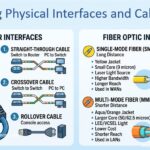
- Cables & Connectors – Enable physical communication between devices
Software Components
These include programs and protocols that control network operations:
- Network Operating Systems (NOS)
- Protocols like TCP/IP, HTTP, FTP, DNS
- Network management and monitoring tools
Network Services
These are functions provided over the network:
- Internet access
- File sharing
- Email services
- Security services
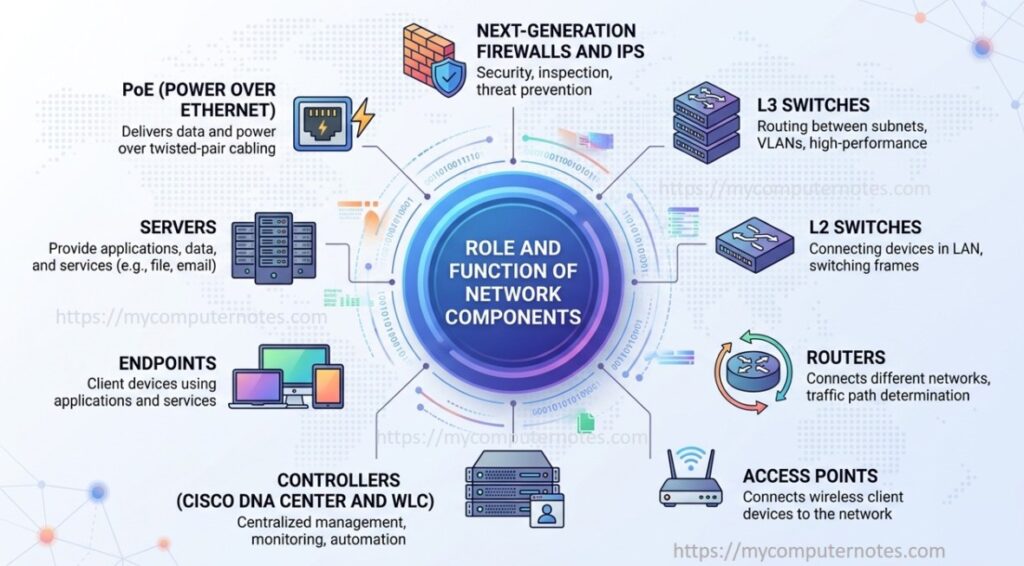
Role and Function of Network Components
Roles and Functions of Router
- A router is a networking device that connects multiple networks and directs data packets between them.
- It operates at Layer 3 (Network Layer) of the OSI model.
- Routers use IP addresses to determine the best path for data transmission.
- They are commonly used to connect LANs (Local Area Networks) to WANs (Wide Area Networks), including the internet.
- Routers maintain routing tables and use protocols like OSPF or static routing.
- Their main function is to ensure that data reaches its intended destination efficiently.
- In a home or office network, a router usually acts as the gateway, connecting users to external networks.
Roles and Functions of Layer 2 & Layer 3 Switches
Switches are used to connect devices within the same network, such as computers, printers, and servers. Unlike hubs, switches intelligently forward data using MAC addresses, ensuring that data is sent only to the intended recipient device. This improves network efficiency and reduces unnecessary traffic. Managed switches also support advanced features like VLANs (Virtual Local Area Networks), which allow network segmentation for better performance and security.
Layer 2 Switches
- Layer 2 switches operate at Layer 2 (Data Link Layer) of the OSI model.
- They forward data using MAC addresses stored in the MAC address table.
- They connect devices within the same network (LAN).
- L2 switches do not perform routing between networks; they only handle traffic within a VLAN.
- Support VLANs (Virtual LANs) to segment network traffic for better performance and security.
- Ideal for small to medium networks where traffic is mostly local.
Layer 3 Switches (Multilayer Switches)
- Layer 3 switches are also called multi-layer switches since they operate at both Layer 2 (Data Link) and Layer 3 (Network Layer) of the OSI model.
- They can forward traffic within a LAN like a Layer 2 switch and route traffic between VLANs or networks like a router.
- They maintain routing tables and support routing protocols such as OSPF or EIGRP.
- Also provide high-speed routing for internal networks without relying on a separate router.
- Ideal for large enterprise networks where multiple VLANs need interconnection.
Next-Generation Firewalls (NGFW) and IPS
A Next-Generation Firewall (NGFW) is an advanced network security device that goes beyond traditional firewalls. While traditional firewalls mainly filter traffic based on IP addresses, ports, and protocols, NGFWs provide deeper inspection of network traffic to detect and block more sophisticated threats.
An Intrusion Prevention System (IPS) is a security technology that monitors network traffic for suspicious activity and takes immediate action to block or prevent threats. IPS can operate as a standalone device or as part of an NGFW.
Roles and Functions of NGFW:
- Deep Packet Inspection (DPI): NGFW examines the full content of packets, not just headers
- Application Awareness: It identifies and controls traffics from specific applications (e.g., blocking social media apps)
- User Identity Integration: NGFW can apply security policies based on individual users or groups rather than just IP addresses.
- Advanced Threat Detection: It uses deep packet inspection (DPI) to detect malware, ransomware, and other attacks.
- Integration with Security Services: It works with intrusion prevention, antivirus, and cloud-based threat intelligence.
- SSL/TLS Inspection: NGFW can encrypt encrypted SSL/TLS traffic to detect hidden threats.
Roles and Functions of IPS:
- Traffic Analysis: IPS continuously inspects network packets for patterns that indicate attacks.
- Threat Prevention: It automatically blocks malicious traffic, exploits, and intrusions.
- Signature-Based Detection: It detects known threats using predefined attack signatures.
- Anomaly-Based Detection: IPS also identifies unusual network behavior that may indicate zero-day attacks.
- Logging and Alerts: It records attack attempts and notifies administrators for further action.
Roles and Functions of Access Points (APs)
An Access Point (AP) is a networking device that allows wireless devices like laptops, smartphones, and tablets to connect to a wired network using Wi-Fi. APs act as a bridge between the wired LAN and wireless clients, enabling mobility and flexibility in network access.
Key Functions of Access Points:
- Access point provides wireless connectivity to other devices using Wi-Fi access without using physical cables.
- It provides bridging between wireless clients and the wired network infrastructure.
- It advertises a network name (SSID) so devices can detect and connect.
- Access point supports encryption protocols like WPA2 and WPA3 to protect wireless traffic. In enterprise networks, multiple APs allow seamless device movement acros
Controllers in Networking
In modern networks, controllers are devices or platforms that play a key role in managing, monitoring, and controlling network infrastructure centrally. Instead of configuring each device individually, a controller allows administrators to manage multiple devices efficiently, enforce consistent policies, and optimize network performance.
Two important controller solutions are Cisco DNA Center and the Wireless LAN Controller (WLC), each serving different but complementary purposes in modern networks.
Cisco DNA Center
Cisco DNA Center is a centralized network management and automation platform designed for enterprise networks. It provides a controller-like function at a higher level by managing not just wireless but also wired infrastructure using software-defined networking concepts.
- Cisco DNA Center acts as the brain of the network, providing end-to-end visibility and simplifying management.
- In Cisco DNA Center, centralized network automation and provisioning allow administrators to quickly deploy and configure network devices from a single platform.
- It provides policy-based management for users and devices, ensuring consistent application of network rules and access control.
- It offers network assurance with real-time monitoring and analytics to help identify and resolve issues efficiently.
- It uses AI-driven insights and troubleshooting to detect problems and optimize network performance automatically.
- It integrates with SD-Access (Software-Defined Access) to enable simplified network segmentation and centralized control.
- It provides a single dashboard for complete network visibility, allowing administrators to monitor and manage the entire network from one interface.
Wireless LAN Controller (WLC)
A Wireless LAN Controller (WLC) is a dedicated device (hardware or virtual) used to manage lightweight access points. It handles wireless-specific tasks like configuration, security, and roaming within the network.
- A Wireless LAN Controller (WLC) provides centralized configuration of multiple access points, allowing administrators to manage them from a single location.
- It enables seamless client roaming between access points, ensuring uninterrupted connectivity as users move.
- It offers strong security through authentication and encryption to protect network access and data.
- It supports traffic management and Quality of Service (QoS) to prioritize important network traffic.
- It uses CAPWAP for communication between access points and the controller.
- It supports VLAN and SSIDs management, allowing flexible network segmentation and multiple wireless networks.
Endpoints
Endpoints refer to devices that act as the source or destination of data in a network. These are the devices that users directly interact with, and they connect to the network through wired or wireless connections to send and receive information.
- Common endpoints include devices such as computers, laptops, smartphones, tablets, printers, IP phones, and servers.
- Each endpoint is assigned a unique IP address so it can be identified and communicate within the network.
- Endpoints rely on networking devices like switches, routers, and access points to access resources such as the internet, applications, and shared files.
- Examples of Endpoints are:
- Computers and Laptops access network resources, browse the internet, or run applications.
- Smartphones and Tablets connect via Wi-Fi or mobile networks.
- Printers and IP Phones receive data from other devices and provide services.
- IoT Devices are the smart sensors, cameras, or home automation devices.
- Virtual Machines (VMs) are software-based endpoints hosted on servers.
Roles of Servers in Networking
Servers are powerful computers that provide services, resources, and data to other devices (called clients) over a network. They play a central role in client-server architecture by managing network functions and enabling communication between endpoints.
The following are the different types of servers used in computer networks, and each one plays a specific role in managing communication, data, and network services.
- A file server stores and manages files so that users on the network can access, upload, or share data securely from a central location. This helps in easy data management and backup.
- A web server hosts websites and delivers web pages to users’ browsers using protocols like HTTP or HTTPS. When a user enters a website address, the web server responds with the required content.
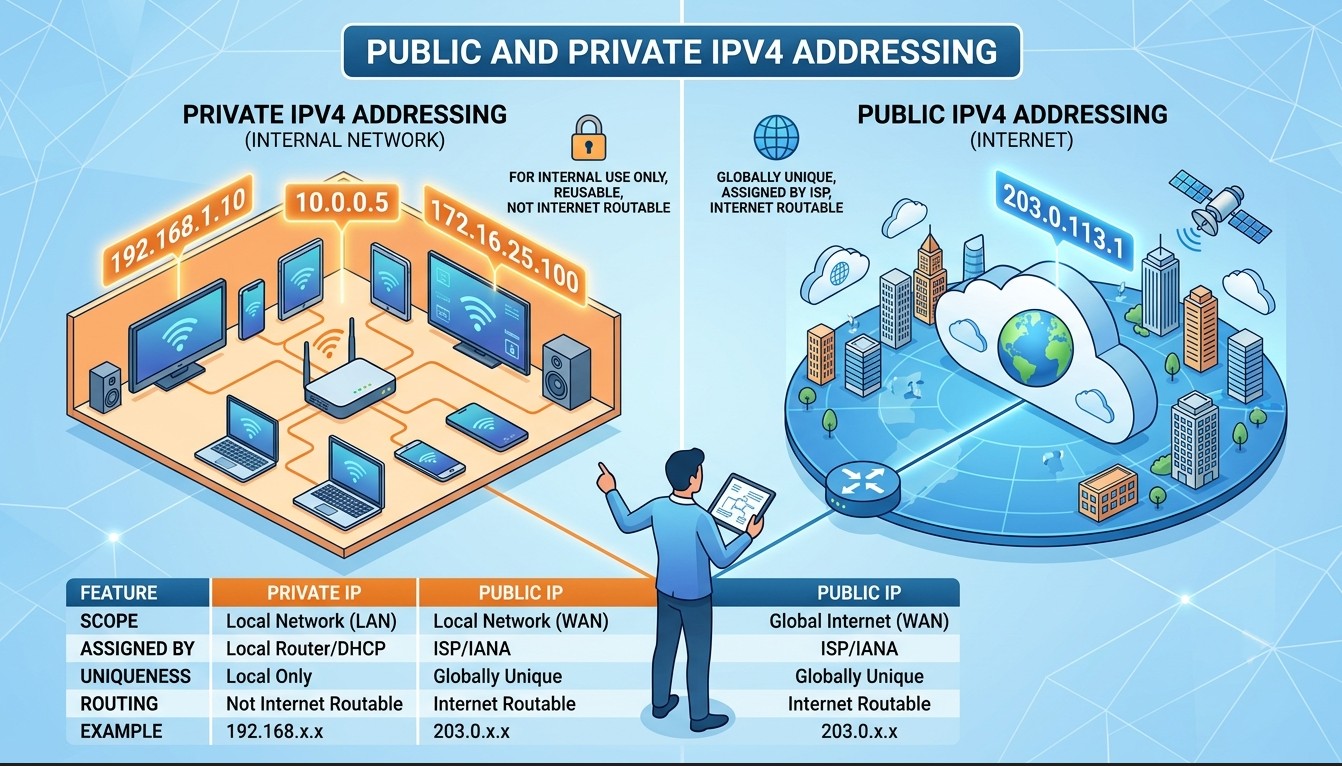
- A DHCP server automatically assigns IP addresses and other network configuration details (like subnet mask and gateway) to devices, making network setup easier and reducing manual configuration errors.
- A DNS server translates domain names (like google.com) into IP addresses so that devices can locate each other on the network without remembering numeric addresses.
- An authentication server verifies user identities before allowing access to network resources, improving security through login credentials and policies.
- A mail server manages sending, receiving, and storing emails between users across a network or the internet.
- A database server stores, organizes, and manages large amounts of data that applications or users can retrieve when needed.
PoE (Power over Ethernet)
PoE is a technology that allows network cables (Ethernet) to carry both data and electrical power to devices over a single cable. This eliminates the need for separate power adapters or electrical outlets for devices connected to the network. PoE is commonly used in enterprise and campus networks to simplify installation and reduce clutter.
How PoE Works:
- Power over Ethernet (PoE) works by allowing a single Ethernet cable to carry both data and electrical power to network devices such as IP phones, wireless access points, and IP cameras.
- PoE uses a PoE-enabled switch or a PoE injector. The switch first detects whether the connected device is PoE-compatible by sending a small low-voltage signal. This step is called “power detection”, and it ensures that power is only sent to devices that support PoE, preventing damage to non-PoE devices.
- Once compatibility is confirmed, the switch supplies electrical power along with data through the same Ethernet cable. The power is transmitted over unused wire pairs or by using a technique called phantom power, where power is added without interfering with data signals.
- At the receiving end, the powered device extracts only the required electrical power while still receiving data normally. This allows the device to operate without needing a separate power adapter.
Types of PoE Standards:
Power over Ethernet (PoE) standards are defined by IEEE and determine how much power can be delivered over Ethernet cables to network devices.
- IEEE 802.3af (PoE): This is the original PoE standard, which provides up to 15.4 watts of power per port. After accounting for cable loss, about 12.95 watts is available at the device. It is commonly used for low-power devices such as IP phones, basic wireless access points, and simple IP cameras.
- IEEE 802.3at (PoE+): This is an enhanced version of PoE that delivers up to 30 watts of power per port, with around 25.5 watts available at the device. It is used for more power-hungry devices like advanced wireless access points, PTZ cameras, and video phones.
- IEEE 802.3bt (PoE++ or 4-Pair PoE): This is the latest PoE standard and supports much higher power levels by using all four twisted pairs in an Ethernet cable. It has two types: Type 3: up to 60 watt and Type 4: up to 90–100 watts. It is used for high-power devices such as LED lighting systems, high-performance access points, and digital signage.