Configure and Verify IPv6 Address and Prefix
Introduction to IPv6 Addresses
IPv6 (Internet Protocol version 6) is the latest version of the Internet Protocol used to identify and communicate with devices over a network. To ensure proper communication in an IPv6 network, devices must be assigned correct IPv6 addresses along with the appropriate prefix length, which defines the network portion of the address.
Before moving into configuration steps, it is important to understand how IPv6 addresses are assigned, how prefix lengths determine network boundaries, and how verification commands are used to confirm correct setup and connectivity.
Why IPv6 addresses needed
- IPv4 has a limited address space (32-bit), providing only about 4.3 billion addresses, which is not enough for modern Internet growth.
- The increasing number of devices such as smartphones, IoT devices, computers, and servers has created a shortage of IPv4 addresses.
- IPv6 provides a much larger address space (128-bit), allowing a virtually unlimited number of IP addresses.
- IPv4 depends heavily on Network Address Translation (NAT), which adds complexity and can reduce performance.
- IPv6 reduces the need for NAT, enabling direct device-to-device communication.
- IPv6 improves network efficiency and routing performance with a simpler header structure.
- IPv6 supports automatic configuration (SLAAC), making network setup easier and faster.
- IPv6 includes better support for security features like IPsec, improving data protection and authentication.
- IPv6 is designed to support the future growth of the Internet and emerging technologies like IoT, cloud computing, and smart systems.
Features of IPv6
- Massive Address Space – IPv6 uses 128-bit addressing, allowing an extremely large number of unique IP addresses, enough for every device and object on Earth.
- Streamlined Header Design – The IPv6 header is simplified by removing unnecessary fields and moving optional information to extension headers, making processing more efficient.
- Direct End-to-End Communication – Every device can have a globally unique address, enabling direct communication without relying on NAT in most cases.
- Automatic Address Setup – IPv6 supports both stateful and stateless auto-configuration, allowing devices to generate their own IP addresses without manual intervention.
- High-Speed Packet Forwarding – A simplified header structure allows routers to make faster routing decisions, improving overall network performance.
- Integrated Security Support – IPv6 was designed with IPsec in mind, enabling encryption, authentication, and secure data transmission (now optional but widely supported).
- No Traditional Broadcast System – IPv6 eliminates broadcast traffic and replaces it with more efficient multicast communication methods.
- Smart Anycast Routing – IPv6 supports anycast addressing, where data is delivered to the nearest available device sharing the same address.
- Built for Mobility – IPv6 is optimized for mobile devices, allowing seamless connectivity even when devices move across different networks.
- Improved Quality of Service (QoS) – Flow Label and Traffic Class fields help prioritize important data like video calls and streaming services.
- Smooth IPv4-to-IPv6 Transition – Large address availability reduces dependence on NAT, enabling easier migration and better global connectivity.
- Expandable Architecture – IPv6 supports extension headers, allowing future upgrades and additional features without redesigning the protocol.
IPv6 Address Structure
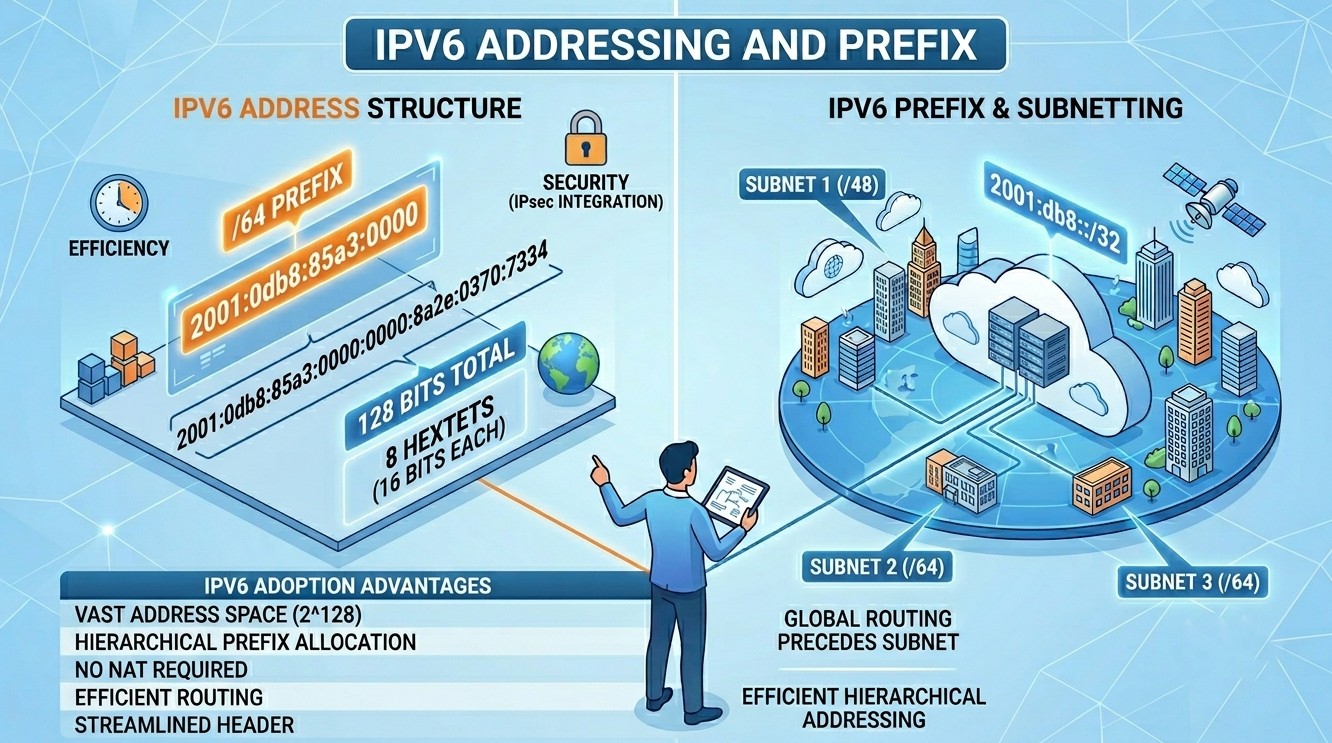
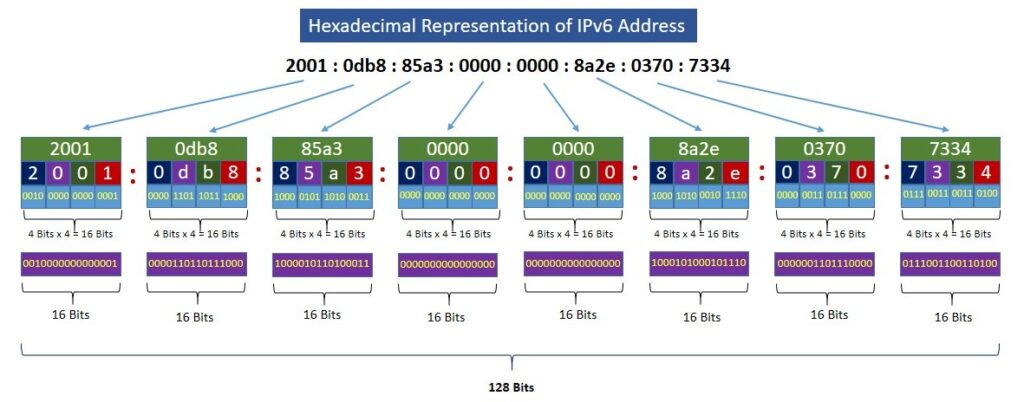
An IPv6 address consists of 128 bits and is written using hexadecimal numbers (base-16), which include numbers 0-9 and letters A-F.
These 128 bits are equally divided into 8 blocks, and each block consists of 16 bits. The blocks are separated by a colon. Each 16-bit value is represented in hexadecimal notation.
For example: 2001 : 0db8 : 85a3 : 0000 : 0000 : 8a2e : 0370 : 7334
Decimal Numbers Hexadecimal Equivalent Binary Equivalent 0 0 0000 1 1 0001 2 2 0010 3 3 0011 4 4 0100 5 5 0101 6 6 0110 7 7 0111 8 8 1000 9 9 1001 10 A 1010 11 B 1011 12 C 1100 13 D 1101 14 E 1110 15 F 1111 Decimal and Binary Equivalents of Hexadecimal Numbers
IPv6 Abbreviated Notation
IPv6 abbreviated notation is the shortened way of writing IPv6 addresses to make them easier to read and manage. Because IPv6 addresses are 128 bits long and are written as eight groups of four hexadecimal digits (hextets), they can become quite lengthy.
Example of a full IPv6 address:
2001 : 0db8 : 85a3 : 0000 : 0000 : 8a2e : 0370 : 7334
IPv6 abbreviated notation uses two steps to shorten it:
Step 1: Remove leading zeros – Remove all the leading zeros of any individual hextet.
2001 : 0db8 : 85a3 : 0000 : 0000 : 8a2e : 0370 : 7334
↓
2001 : db8 : 85a3: 000 : 000 : 8a2e :370 : 7334
Step 2: Compress consecutive zero hextets—Replace consecutive blocks containing all zeros and represent them with a double colon (::). Remember, a double colon is allowed only once to shorten consecutive zero blocks.
2001 : db8 : 85a3 : 000 : 000 : 8a2e : 370 : 7334
↓
2001 : db8 : 85a3 : : 8a2e : 370 : 7334
The final compressed IPv6 is written as 2001 : db8 : 85a3 : : 8a2e : 370 : 7334
IPv6 Prefix
An IPv6 prefix identifies the network portion of an IPv6 address. It is similar to a subnet mask in IPv4 but is written using prefix length notation.
IPv6 Prefix Format
An IPv6 prefix consists of an IPv6 network address followed by a slash (/) and the number of bits that represent the network portion.
Example:
In this example:
2001:db8:1:1::is the network address./64means the first 64 bits are the network prefix.- The remaining 64 bits are used for host (interface) addresses.
Purpose of an IPv6 Prefix
IPv6 prefixes are used to
- Identify a network or subnet.
- Support routing between networks.
- Allow devices to determine whether a destination is on the local network or a remote network.
- Enable automatic address configuration (SLAAC).
Common IPv6 Prefix Lengths
| Prefix Length | Purpose |
|---|---|
/128 | Single host address |
/64 | Standard LAN subnet |
/56 | Small organization or home allocation |
/48 | Site or enterprise allocation |
/32 | ISP allocation |
Example
Consider the IPv6 address:
2001 : db8 : acad : 10 : : 15/64Network prefix:
2001 : db8 : acad : 10 : : /64Interface ID:
: : 15All devices whose addresses begin with 2001:db8:acad:10 belong to the same /64 network.
IPv6 Prefix Advertisement
Routers advertise prefixes to hosts using the IPv6 Neighbor Discovery Protocol (NDP). A host can then automatically generate its own IPv6 address by combining the following:
- The advertised network prefix.
- A unique interface identifier.
Benefits of IPv6 Prefixes
- Provides scalability for large networks.
- Simplifies network design.
- Supports hierarchical routing.
- Reduces routing table size.
- Enables automatic address configuration.
Configuring and Verifying IPv6 Address
Configuring and verifying an IPv6 address involves assigning IPv6 addresses and prefixes to interfaces, enabling IPv6 routing (if needed), and checking connectivity.
Before configuring IPv6, ensure that:
- The Cisco router supports IPv6.
- You have access to privileged EXEC mode.
- The network design and IPv6 addressing scheme are planned.
- Interfaces are physically connected and operational.
Step 1: Enable IPv6 Routing
By default, IPv6 routing may be disabled on Cisco routers. Enter global configuration mode and enable IPv6 routing:
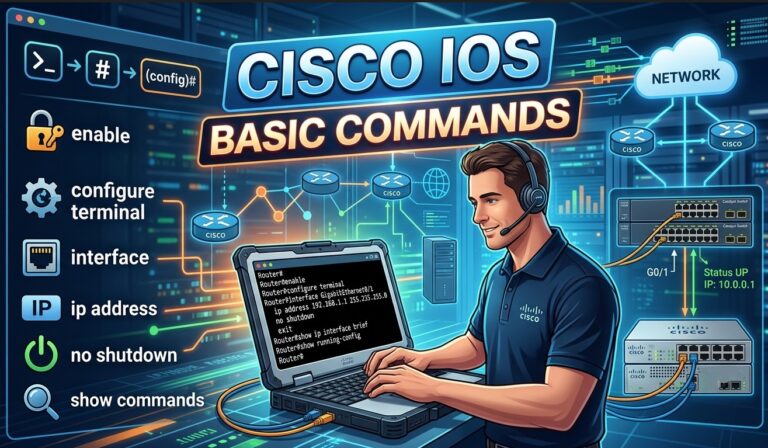
Router> enable
Router# configure terminal
Router(config)# ipv6 unicast-routing
The ipv6 unicast-routing command enables the router to forward IPv6 packets between interfaces.
Step 2: Configure an IPv6 Address on an Interface
Select the interface that will participate in IPv6 communication.
Example:
Router(config)# interface gigabitethernet0/0
Router(config-if)# ipv6 address 2001:db8:1:1::1/64
Router(config-if)# no shutdown
Router(config-if)# exitExplanation:
interface gigabitethernet0/0selects the interface.ipv6 address 2001:db8:1:1::1/64assigns an IPv6 address.no shutdownactivates the interface.
Step 3: Configure Additional Interfaces
Configure another interface if the router connects multiple IPv6 networks.
Router(config)# interface gigabitethernet0/1
Router(config-if)# ipv6 address 2001:db8:2:2::1/64
Router(config-if)# no shutdown
The router can now route traffic between the two IPv6 subnets.
Step 4: Configure a Link-Local Address (Optional)
Cisco automatically generates a link-local address, but you can manually configure one.
Router(config)# interface gigabitethernet0/0
Router(config-if)# ipv6 address fe80::1 link-local
Link-local addresses are used for communication on the local network segment.
Step 5: Save the Configuration
Save the running configuration to startup configuration.
Router# copy running-config startup-configor
Router# write memoryVerifying IPv6 Configuration
After configuration, verify that IPv6 is functioning properly.
1. Verify Interface IPv6 Addresses
Router# show ipv6 interface briefOutput:
GigabitEthernet0/0    [up/up]
FE80::1
2001:DB8:1:1::1

GigabitEthernet0/1    [up/up]
FE80::2
2001:DB8:2:2::1
This command provides a quick summary of IPv6-enabled interfaces.
2. View Detailed Interface Information
Router# show ipv6 interface gigabitethernet0/0This displays:
- Assigned IPv6 addresses
- Link-local address
- Interface status
- Neighbor Discovery information
3. Verify IPv6 Routing Table
Router# show ipv6 routeExample:
C   2001:DB8:1:1::/64
     via GigabitEthernet0/0

C   2001:DB8:2:2::/64
     via GigabitEthernet0/1
“C” indicates directly connected IPv6 networks.
4. Test Connectivity Using Ping
Ping another IPv6-enabled device:
Router# ping 2001:db8:1:1::2Successful replies confirm IPv6 connectivity.
5. Trace the IPv6 Path
Router# traceroute ipv6 2001:db8:2:2::2This helps identify routing issues along the path.
Conclusion
Pv6 addressing was introduced to overcome the limitations of IPv4, mainly the shortage of IP addresses. It uses 128-bit addresses, providing a very large address space and enabling efficient communication for modern networks and Internet-connected devices. IPv6 improves routing efficiency, security, auto-configuration, and network scalability.
An IPv6 prefix identifies the network portion of an address, similar to subnet masks in IPv4. Prefix notation, such as /64, indicates how many bits represent the network part of the address. Proper use of prefixes helps in subnetting, hierarchical addressing, and efficient network management.
Overall, IPv6 addressing and prefixing provide a flexible, scalable, and future-ready solution for global networking and Internet growth.