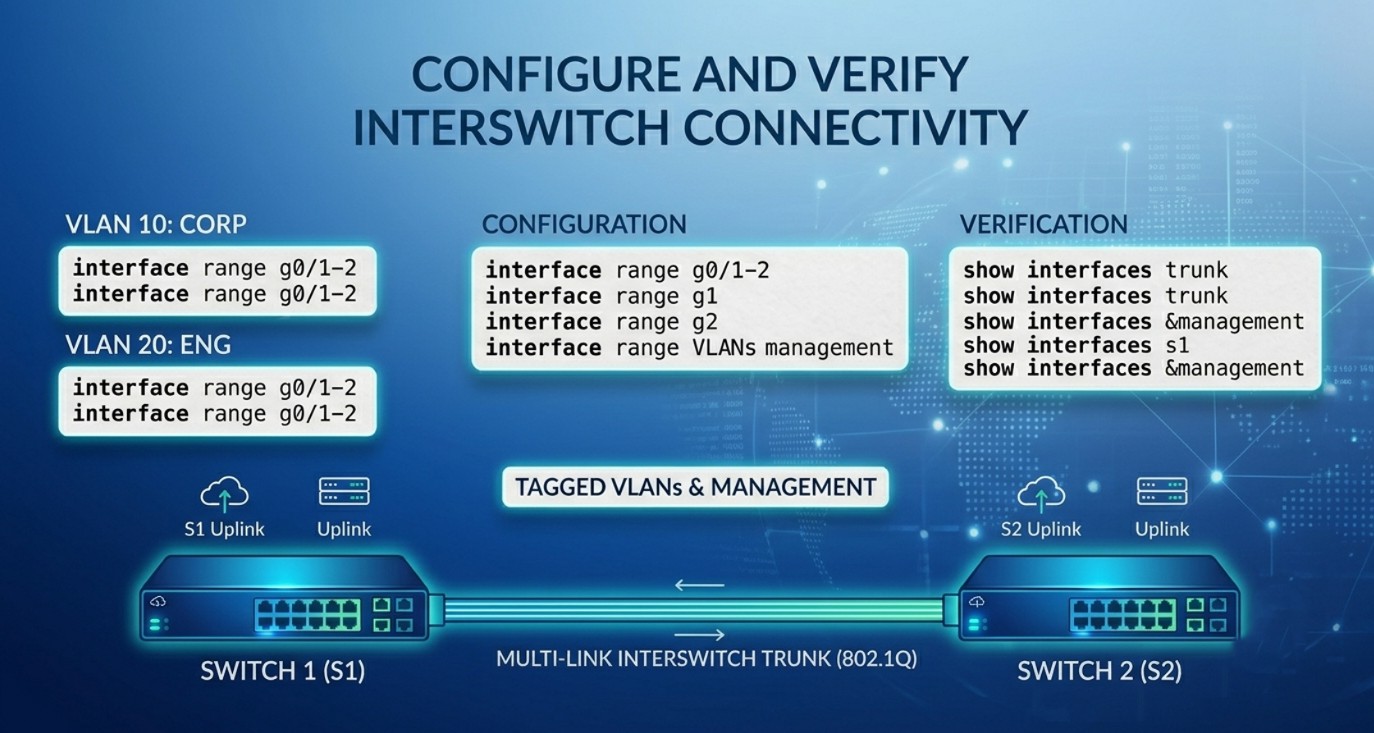
Configure and Verify Interswitch Connectivity
In modern enterprise networks, multiple switches are often deployed to expand network size, improve scalability, and support communication across different departments or locations. When switches are interconnected, they must be able to exchange traffic for multiple networks simultaneously over a single physical connection. This communication between switches is known as interswitch connectivity.
Interswitch connectivity is achieved in Cisco switches using trunk ports, 802.1Q frame tagging, and native VLAN configuration. These technologies allow multiple VLANs to travel across a single trunk link without requiring separate physical cables for each network segment.
Understanding Inter Switch VLAN Connectivity
A VLAN creates a separate logical network inside a switch. Devices belonging to one VLAN cannot directly communicate with devices in another VLAN unless routing is used. For example, computers in VLAN10 are isolated from computers in VLAN20. This separation improves security and reduces unnecessary broadcast traffic.
Consider an organization with two floors. On each floor there is a switch. Employees from the Sales department are placed in VLAN10, while employees from the HR department are placed in VLAN20. Even though Sales users are connected to different switches, they still need to communicate with each other. Therefore, VLAN traffic must pass from one switch to another. If switches are not configured correctly, devices in the same VLAN but on different switches will not be able to communicate.
To solve this problem, switches use trunk links.
Trunk Ports
A trunk port is a special switch port designed to carry traffic for multiple VLANs simultaneously. Unlike an access port, which belongs to only one VLAN, a trunk port can transport frames from many VLANs across a single cable. Trunk ports are usually configured between switches, between switches and routers, or between switches and servers that support VLAN tagging.
The main purpose of a trunk port is to allow VLAN traffic to travel between networking devices without requiring separate physical connections for each VLAN.
For example, suppose Switch1 and Switch2 are connected using interface FastEthernet0/24. VLAN10 users and VLAN20 users exist on both switches. By configuring the interfaces as trunk ports, traffic for both VLANs can pass through the same cable while remaining logically separated.
Difference Between Access Ports and Trunk Ports
An access port carries traffic for only one VLAN. It is typically connected to end devices such as PCs, printers, or IP phones. Frames sent through an access port are untagged because the device connected to the port does not need to understand VLAN information.
A trunk port, on the other hand, carries traffic for multiple VLANs. Frames transmitted over a trunk are tagged with VLAN information so that receiving switches know which VLAN each frame belongs to. Trunk ports are mainly used for switch-to-switch communication.
| Feature | Access Port | Trunk Port |
|---|---|---|
| VLAN Support | Single VLAN | Multiple VLANs |
| Used For | PCs and printers | Switches and routers |
| Frame Type | Untagged | Tagged |
| Main Purpose | End device connectivity | VLAN transport |
Configuring Trunk Ports
The following example demonstrates how to configure a trunk port between two Cisco switches.
Switch1 Configuration
enable
configure terminal

interface fastEthernet 0/24
switchport mode trunk
Switch2 Configuration
enable
configure terminal

interface fastEthernet 0/24
switchport mode trunk
The command switchport mode trunk forces the interface to operate as a trunk port. Once trunking is enabled on both switches, VLAN traffic can move between them.
IEEE 802.1Q Encapsulation
Trunk links require a mechanism to identify which VLAN each frame belongs to. Cisco switches use the IEEE 802.1Q standard for this purpose. 802.1Q is the industry-standard VLAN tagging protocol used on Ethernet trunk links.
When a frame travels across a trunk link, the switch inserts a small tag inside the Ethernet frame. This tag contains the VLAN ID associated with the frame. For example, traffic from VLAN10 is tagged with VLAN ID 10, while traffic from VLAN20 is tagged with VLAN ID 20. The receiving switch reads the tag and forwards the frame to the correct VLAN.
Without VLAN tagging, switches would not be able to distinguish traffic belonging to different VLANs. As a result, VLAN separation would fail. 802.1Q tagging therefore plays a critical role in maintaining VLAN integrity across trunk links.
The tagging process happens automatically once trunking is enabled. Modern Cisco switches use 802.1Q by default for trunk encapsulation.
How 802.1Q Works
The 802.1Q protocol inserts a 4-byte field into the Ethernet frame. This field contains VLAN-related information, including the VLAN ID and priority information. When a frame leaves a trunk port, the switch adds the VLAN tag. When the frame arrives at another switch, the receiving switch reads the tag and determines which VLAN should receive the traffic.
For example:
- A PC in VLAN10 sends data.
- Switch1 tags the frame as VLAN10.
- The frame travels across the trunk link.
- Switch2 reads the VLAN10 tag.
- Switch2 forwards the frame only to VLAN10 ports.
This process allows multiple VLANs to share the same physical link while remaining logically separated.
Verifying Trunk Connectivity
After configuring trunk ports, administrators should verify the configuration to ensure that trunking is functioning correctly.
The most important verification command is:
show interfaces trunkThis command displays:
- Trunk interfaces
- Encapsulation type
- Native VLAN
- Allowed VLANs
- Trunk status
Example output may show:
| Port | Mode | Encapsulation | Status |
| Fa0/24 | trunk | 802.1q | trunking |
This confirms that the interface is operating as a trunk using 802.1Q encapsulation.
Native VLAN
In an 802.1Q trunk, most VLAN traffic is tagged. However, one VLAN is treated differently. This VLAN is known as the native VLAN.
Traffic belonging to the native VLAN is transmitted untagged across the trunk link. By default, Cisco switches use VLAN1 as the native VLAN. The native VLAN exists mainly for compatibility with devices that do not understand VLAN tagging.
When a switch receives an untagged frame on a trunk port, it automatically associates that frame with the native VLAN. Similarly, when frames from the native VLAN are sent over the trunk, the switch does not add an 802.1Q tag.
Importance of Native VLAN Consistency
Both ends of a trunk link must use the same native VLAN. If the native VLAN settings do not match, network problems can occur. Cisco switches may display warning messages such as “Native VLAN mismatch detected.” A mismatch can lead to traffic leakage between VLANs, connectivity issues, and security vulnerabilities.
For example:
- Switch1 native VLAN = 99
- Switch2 native VLAN = 1
In this situation, untagged traffic may be assigned to different VLANs on each switch, causing incorrect forwarding behavior.
Configuring Native VLAN
The following example configures VLAN99 as the native VLAN.
Switch1
interface fastEthernet 0/24
switchport mode trunk
switchport trunk native vlan 99
Switch2
interface fastEthernet 0/24
switchport mode trunk
switchport trunk native vlan 99
The command switchport trunk native vlan 99 changes the native VLAN from the default VLAN1 to VLAN99.
Verifying Native VLAN Configuration
Administrators can verify native VLAN settings using:
show interfaces trunkExample output:
| Port | Native VLAN |
| Fa0/24 | 99 |
This confirms that VLAN99 is configured as the native VLAN.
Common Problems and Troubleshooting
- One common problem is forgetting to configure the trunk port. If the link remains an access port, VLAN traffic from other VLANs cannot pass between switches.
- Another issue occurs when VLANs are not created on both switches. Even if the trunk is working correctly, missing VLANs prevent proper forwarding.
- Native VLAN mismatches are also common. These mismatches generate warning messages and may cause traffic problems. Administrators should always ensure that both sides of the trunk use the same native VLAN.
- Verification commands such as
show vlan briefandshow interfaces trunkare essential tools for troubleshooting VLAN and trunk issues.
Conclusion
Interswitch connectivity is a fundamental concept in modern switched networks. Trunk ports enable multiple VLANs to travel across a single physical link, reducing cabling complexity and improving scalability. The IEEE 802.1Q standard provides VLAN tagging, allowing switches to identify VLAN membership for each frame transmitted across the trunk. Native VLANs handle untagged traffic and must be configured consistently on both sides of the trunk link.


Great article on interswitch connectivity! I am currently setting up a laboratory environment to test some trunking configurations. While verifying the native VLAN setup, a colleague mentioned that improper encapsulation or a native VLAN mismatch could sometimes cause subtle routing anomalies or intermittent drops for specific external traffic, such as when users try to access international platforms like https://guiadebetssonargentina.com/ during network audits. In your experience, can a native VLAN mismatch selectively drop or leak specific outbound web traffic, or would it completely disrupt all inter-VLAN communication across that trunk link?